
InfoChain is a technology company based out in Bengaluru.
We develop next-gen digital services and consulting.
















Corporate Video


Welcome!
InfoChain is a start-up technology company based out in Bengaluru. We develop next-gen digital services and consulting to Manufacturing Industries using it's experience in Product Development and ERP implementations.
We enable clients to navigate their digital transformation. We also empower the business with agile digital at scale to deliver unprecedented levels of performance and customer delight.
Our always-on learning agenda drives customer continuous improvement through building and transferring digital skills, expertise and ideas from our innovation ecosystem.



All rights Reserved © InfoChain Technologies Pvt. Ltd., 2026
Made with Collaboration

What We Do Best

Development
Our core team follow industry best practices to develop software.

Design
Our unique tools design grahphics, HTML5 templates & framework 4X faster than traditional design methods.

Application
Our applications are very user friendly and takes less time of users to learn. It is designed to perform business functions.

All rights Reserved © InfoChain Technologies Pvt. Ltd., 2026
Made with by Collaboration

Get In Touch
Connect with us
Having the shortest possible delay between idea and launch is crucial
in business.
# 5, Site No 36, 2nd Floor, Opposite BWSSB,
Peenya 1st Stage, Peenya Industrial Area,
Bengaluru, Karnataka, India, 560058
Follow


Drop us a line
Our team are eagerly waiting to help you growing your business. Please feel free to contact with us.
Eiffel Tower
Gustave Eiffel's iconic, wrought-iron 1889 tower,
with steps and elevators to observation decks.
All rights Reserved © InfoChain Technologies Pvt. Ltd.,2026
Made with by Collaboration

Doc
Quick Start
Looking to start your project quickly? Just unzip the boots5-v1.0.1-.zip. We have precompiled and packaged everything in the public directory for you. Start editing the pages/nav-four-item-two-column.html with a text or code editor, save it, and open the file in your favourite browser to see the changes.
Setting Build system
Unzip the boots5-v1.0.1-.zip to any folder and open a command line or terminal at that location. Boots5-v1.0.1's dev tools requireNode andGit . If you do not have them in your machine, please install their latest stable version from their corresponding website. As you have Node and Git installed and accessible from your terminal or command line, install Gulp CLI package globally with the following command:
npm i gulp-cli -gWhen you’re done, install the rest of the Boots5-v1.0.1's dependencies with:
npm iNow run:
gulpRunning gulp will compile the SCSS, transpile the javascript, copy all required libraries form node_modules to the corresponding public/assets/vendors directory and will open a browser window to public/index.html
All of the following folders are monitored for changes, which will tell the browser to reload automatically after any changes are made:
public/assets/video/
public/assets/img/
public/vendors
src/pug/
src/scss/
src/js
Now you can edit any pug file from src/pug, change SCSS variable with scss/_user-variables.scss, or write your own SCSS code in scss/_user.scss and add or update javascript from src/js directory
gulp command will discard and regenerate all the files in following directories:public/**/*.html public/assets/css/ public/assets/js/ public/vendors
Hit Ctrl+C or just close the command line window to stop the server.
Happy editing!
File Structure
Within your Boots5-v1.0.1 you’ll find the following directories and files, grouping common resources and providing both compiled, transpiled and minified distribution files, as well as raw source files.
boots5-v1.0.1-/
  ├── Gulp/
  |   ├── build.gulp.js
  |   ├── clean.gulp.js
  |   ├── link.gulp.js
  |   ├── product.gulp.js
  |   ├── pug.gulp.js
  |   ├── script.gulp.js
  |   ├── vendor.gulp.js
  |   ├── w3c.gulp.js
  |   ├── watch.gulp.js
  ├── public/
  |   ├── assets/
  |   ├── documentation/
  |   ├── pages/
  |   ├── vendors/
  |   ├── index.html
  ├── src/
  |   ├── js/
  |   ├── pug/
  |   ├── scss/
  gulpfile.js
  package-lock.json
  package.json
  vendors.json
Gulp
To start your project run:
gulp
The gulp command will build, serve and watch the project with the following gulp tasks:
| Task | Action |
|---|---|
clean |
Delete the following directories:
|
style |
Compiles scss/theme.scss and generates theme.css, theme.min.css, theme-rlt.css, theme-rtl.min.css and theme.css.map, theme.min.css.map, theme-rlt.css.map, theme-rtl.min.css.map to the public/assets/css/ directory. |
script |
Concat the js files from src/js/ and transpiles with babel to theme.js, theme.min.js to the public/assets/js/ directory. |
compile:all |
Compiles all the js, scss, pug files from the src directory. |
vendor |
Runs vendor:clean and vendor:move in series. |
vendor:clean |
Delete the vendors from public/vendors directory which are included in vendors.json. |
vendor:move |
Copies the vendors from node_modules/ directory to public/vendors directory according to the vendors.json. |
watch |
All of the following folders are monitored for changes, which will tell the browser to reload automatically after any changes are made:
|
build |
Will delete previous build directory and generate a new compressed version to deploy
|
build:test |
Will run the build version in port:3000 |
RTL
Your theme comes with a built-in automated rtl feature. Here is the example. To use rtl, set the dir='rtl' in your html like:
<html dir='rtl'>...</html>
And use the rtl stylesheet instead of theme.css
<link href="assets/css/theme-rtl.css" rel="stylesheet" />Add a New Page
To add/replace a new page in Boots5-v1.0.1 you should set a unique id to .page element and also assign it to pages attribute of .sidebar-item-wrapper for navigating this page from sidebar nav. For example, if we want to add feature page in nav-four-item-two-column.html the following code need to set inside #gridNav
Add a New Plugin
Place your new plugin in public/vendors folder. Eg: to add the typed.js plugin, we will download it from here, unzip it and place the typed folder in public/vendors folder. You can now simply link the plugin files to your HTML and use them.
Suppose we are installing the typed.js plugin. Here are the steps:
Step 1:
run npm command for install plugin. for typed.js we can run
npm i typed.js
Step 2:
Go to vendors.json file and give the path directory from node_modules as follow
"typed.js": {
	"src": ["lib/typed.js"],
	"dest": "typed.js"
}
Here, dest refers to public/vendors/, where gulp will copy files from the typed.js plugin. We actually use the vendors folder to store neccassary plugins. And all the plugins folder name will be as we give the dest value
Step 3:
Run the following command:
gulp vendor:moveSmtpjs
Using Smtpjs you will be able to directly send email using client-side javascript without any server-level configurations.
You can also specify where to send the data via an hidden input:
How to configure and use Gmail SMTP to send emails from Javascript?
In case you are planning to use Gmail's SMTP to send mails, then make sure you have properly configured the below settings:
Allowed access in Gmail for less secure apps:
To use Gmail SMTP you'll need to allow access for less secure apps from google account settings. Turning the below settings off will allow your Javascript to connect to Gmail.
Disabled 2-step factor authentication
As you're going to connect to Gmail remotely using a program, so 2-step factor authentication should be disabled. Click here to learn more on how to disable 2FA
Once, the above settings are done, your Google SMTP server configurations would look something like this
MTP Server/Hostname: smtp.gmail.comMTP Username: [Your Gmail Address]SMTP password: [Your Gmail Password]SMTP Port: 587TLS/SSL: Required
If you are using gulp based workflow, Open form-processor.js and update your smtp credential
                          window.Email.send({
                            Host: "smtp.mailtrap.io",
                            Username: "Your User Name ",
                            Password: "Your Password",
                            To: formData.email,
                            From: "you@isp.com",
                            Subject: "This is the subject",
                            Body: `And this is the body`
                            })
If you are not using gulp based workflow, Open src\js\form-processor.js find formInit method then update your smtp credential
See the sample code under the form bellow for better understanding.
<form data-form="data-form" onsubmit="return false">
  <label class="form-label text-700 mt-4 mb-3" for="inputName1"><i class="fas fa-user me-2"></i>NAME</label>
  <input class="form-control form-boots-control mt-0" id="inputName1" type="text" name="name" />
  <label class="form-label text-700 mt-4 mb-3" for="inputEmail"> <i class="fas fa-envelope me-2"></i>YOUR EMAIL</label>
  <input class="form-control form-boots-control mt-0" id="inputEmail" type="email" name="email" />
  <label class="form-label text-700 mt-4 mb-3" for="validationTextarea"> <i class="fas fa-pen me-2"></i>MESSAGE</label>
  <textarea class="form-control is-invalid border-400 form-boots-control mt-0" id="validationTextarea1" placeholder="Message" rows="6" cols="50" required="required" name="message"> </textarea>
  <button class="btn btn-boots-warning w-100 mt-5" type="submit">Send</button>
  <div class="feedback"> </div>
</form>
Built-in plugins
Anchor.js
A JavaScript utility for adding deep anchor links to existing page content. AnchorJS is lightweight, accessible, and has no dependencies.
Full Documentation
BigPicture
BigPicture is a pure javascript lightbox. It can display images, iframes, inline content and videos with optional autoplay for YouTube, Vimeo and even self hosted videos.
Implementation in theme - Full Documentation
CountUp
CountUp.js is a dependency-free, lightweight JavaScript class that can be used to quickly create animations that display numerical data in a more interesting way.
Implementation in theme - Full Documentation
FontAwesome 5
Get vector icons and social logos on your website with Font Awesome, the web's most popular icon set and toolkit.
Full Documentation
Imagesloaded
Detect when images have been loaded.
Full Documentation
Is.js
Micro check plugin. Check types, regexps, presence, time and more...
Full Documentation
Isotope
Filter & sort magical layouts.
Implementation in theme - Full Documentation
Lodash
A modern JavaScript utility library delivering modularity, performance, & extras.
Full Documentation
Rellax
Rellax is a buttery smooth, super lightweight (1021bytes gzipped), vanilla javascript parallax library.
Full Documentation
Swiper
Swiper is the most modern free mobile touch slider with hardware accelerated transitions and amazing native behavior. It is intended to be used in mobile websites, mobile web apps, and mobile native/hybrid apps.
Implementation in theme - Full Documentation
Changelog
Boots5 - v1.0.1
03 January, 2022
Fix
- Fix Sticky area footer responsive issue
- Fix About Us page responsive issue
Boots5 - v1.0.0
28 October, 2021
Google Map
Example
Eiffel Tower
Gustave Eiffel's iconic, wrought-iron 1889 tower,
with steps and elevators to observation decks.
Html
<div class="googlemap min-vh-50" data-gmap="data-gmap" data-latlng="48.8583701,2.2922873,17" data-scrollwheel="false" data-icon="assets/img/map-marker.png" data-zoom="17" data-theme="Default">
  <div class="marker-content">
    <h5>Eiffel Tower</h5>
    <p class="mb-0">Gustave Eiffel's iconic, wrought-iron 1889 tower,<br /> with steps and elevators to observation decks.</p>
  </div>
</div>
JavaScript
<script src="https:maps.googleapis.com/maps/api/js?key=YOUR_API_KEY&callback=initMap" async="async"></script>Map color schemes
Change the value of data-theme='' to any of the followings
DefaultGrayMidnightHopperBeardAssassianCreedSubtleGrayTripitty
Example
With AssassianCreed scheme
Eiffel Tower
Gustave Eiffel's iconic, wrought-iron 1889 tower,
with steps and elevators to observation decks.
<div class="googlemap min-vh-50 mt-3" data-gmap="data-gmap" data-latlng="48.8583701,2.2922873,17" data-scrollwheel="false" data-icon="assets/img/map-marker.png" data-zoom="17" data-theme="AssassianCreed">
  <div class="marker-content">
    <h5>Eiffel Tower</h5>
    <p class="mb-0">Gustave Eiffel's iconic, wrought-iron 1889 tower,<br /> with steps and elevators to observation decks.</p>
  </div>
</div>
Example of street view
<div class="googlemap min-vh-50" data-gmap="data-gmap" data-latlng="48.8588723,2.2932638" data-pov='{"heading":120,"pitch":0}' data-scrollwheel="false" data-icon="assets/img/map-marker.png" data-zoom="1" data-theme="streetview"> </div>
All rights Reserved © Your Company, 2021
Made with by Themewagon

Our Latest Works













All rights Reserved © Your Company, 2021
Made with by Themewagon

100% License Free & Open Source Softwares for
SMB & Enterprise Companies
All rights Reserved © InfoChain Technologies Pvt. Ltd.,2026
Made with by Collaboration

ERP Modules

CRM
The CRM module in ERP is designed to enhance customer interactions and streamline sales processes.
* Lead Management
* Opportunity Tracking
* Customer Management
* Activity Management
* Quotation, Sales Orders
* Reports & Analysis
________________________

Buying
Manage your entire process of acquiring goods & services for the business and optimise supplier relationships.
* Request For Quotation
* Purchase Orders
* Purchase Receipts
* Purchase Invoice
* Stock Management
* Procurement tracker
* Reports & Analytics
* Subcontracting Order
________________________

Manufacturing
Effectively maintain and manage multi-level bill of materials, production planning, job cards & Inventory.
* Workstations
* Work Orders, Job Cards
* BOM (Multi-level)
* Production Planning
* Quality Control
* Subcontracting
* Reporting & Analytics
________________________

Selling
Streammline your sales process, enhance customer relationship management and scaleup your revnue using ERP
* Sales Orders
* Sales Invoices
* e-Invoice & e-Waybill
* Pricing & Discount
* Promotional Schemes
* Point of sales [Pos]
* Dashboard & Analytics
________________________

Accounting
Maintain accurate financial records,comply with regulatory requirements and gain valuable insights into your financial performance.
* Financial insights
* Tax compliances
* Robust audit trail
* Chart Of Accounts
* Accounting Period
* Payment Term Template
* Receivables & Payables
________________________

Stock
Maintain optimal inventory level, reduce carrying costs, improve operational efficiency & streamline supply-chain management.
* Track & Allocate Stocks
* Warehouse Tree
* Stock reconciliation
* Quality Inspection
* Stock Analytics
* Batch/Bin Inventories
* Stock Replenishment
________________________
Project
Deliver both internal and external projects on time.Manage budget, Track tasks, timesheets & increase profitability.
* Optimize Projecs
* Time Tracking
* Resource Management
* Project Billing
* Reporting
* Task Assignment
* Task Tracking
________________________

HR & Payroll
Manage full employee life cycle right from onboarding to separation, payroll, attendance,claims & assets.
* Recruitment
* Employee Lifecycle
* Attendance & Leave
* Expense Management
* Employee Performance
* Payroll,Income Tax
* Self Service Portal
* Mobile App
________________________

Asset Management
Maintain and Manage details of assets, their movement, value adjustment & depreciation.
* Asset Inventory
* Asset Lifecycle
* Purchasing Assets
* Selling Assets
* Asset Depreciation
* Scrapping Assets
* Asset Value Adjustment
* Asset Reporting
________________________
All rights Reserved © InfoChain Technologies Pvt. Ltd.,2026
Made with by Collaboration

Industrial Challenges
The main Challenge for Industries is to find out what type of ERP product is suitable for their business and the second main challenge is to upgrade for newer versions.
The use of ERP can be the great opportunity to modernize your business, digitalize your data, streamlining routine processes and improving the environment in your work team.
All rights Reserved © InfoChain Technologies Pvt. Ltd.,2026
Made with by Collaboration
Why Info-Chain ?

InfoChain develop next-gen digital services and consulting to Manufacturing Industries using it's experience in Product Development and ERP implementations.

Mobile Compatible
Compatible on all mobile browsers

Support Team
Team is available for all your queries

Cost Elimination
Streamline processes,reduce costs

Crafted For You
Not just out-of-the-box. Tailor-made solutions for you

Scalable Solutions
Grow your Business with scalabale ERP Solutions

Data Security
Your business data is confidential. We keep it safe & secure
All rights Reserved © InfoChain Technologies Pvt. Ltd., 2026
Made with Collaboration
Industry Specific ERP Solutions
ERP software that offers industry-specific solutions for Manufacturing, Services, Retail and Healthcare industries. Its comprehensive suites of features & robust functionality makes it an ideal choice for business across all the sectors.

ERP for Service
Project & Client management, time & expense tracking, invoicing & billing.

ERP for Distribution
Manage inventory & Logistics operations across warehouses.

ERP for Manufacturing
Manage the complexities of production, planning, inventory control & procurement.

ERP for Retail
Manage retail store, POS, e-commerce, inventory, sales & accounts.

ERP for Healthcare
Maintain a variety of healthcare operations.

ERP for Education
Centralizing student records, academic performance & disciplinary history.
All rights Reserved © InfoChain Technologies Pvt. Ltd.,2026
Made with by Collaboration
Challenges
The main Challenge for Industries is to find out what type of ERP product is suitable for their business and the second main challenge is to upgrade for newer versions.

All rights Reserved © Your Company, 2021
Made with by Themewagon






















iForce
iForce automates repetitive tasks like data entry, task management
and allowing sales teams to spend more time with customers.

Geofencing
Live information
Expense tracking
Allowances based on daily reporting
Daily Attendance
DCR visit & MOM entry
Journey plan for a week or month at ease
Find customer location on Map
Access day-to-day reports
Sampling & POB
________________________
All rights Reserved © InfoChain Technologies Pvt. Ltd.,2026
Made with by Collaboration

iWMS
iWMS is real-time visibility into your inventory, improved accuracy and efficiency,
prompt & accurate labelling & always current stock records.

Stock Receipts
Putaway and Storage
Takeaway and packing options
Shipping
Barcode scanners compatibility
Providing rela-time data streaming
Inventory location recommendations
Bin-wise item Tracking
Barcode integration with ERP
________________________
All rights Reserved © InfoChain Technologies Pvt. Ltd.,2026
Made with by Collaboration

iDMS
iDMS is a Ditribution Management System streamlines all primary, secondary and tertiary distribution workflows
and activities.Improves supply chain efficiency, eliminates overstocking & allows companies to access real-time data from distributors.
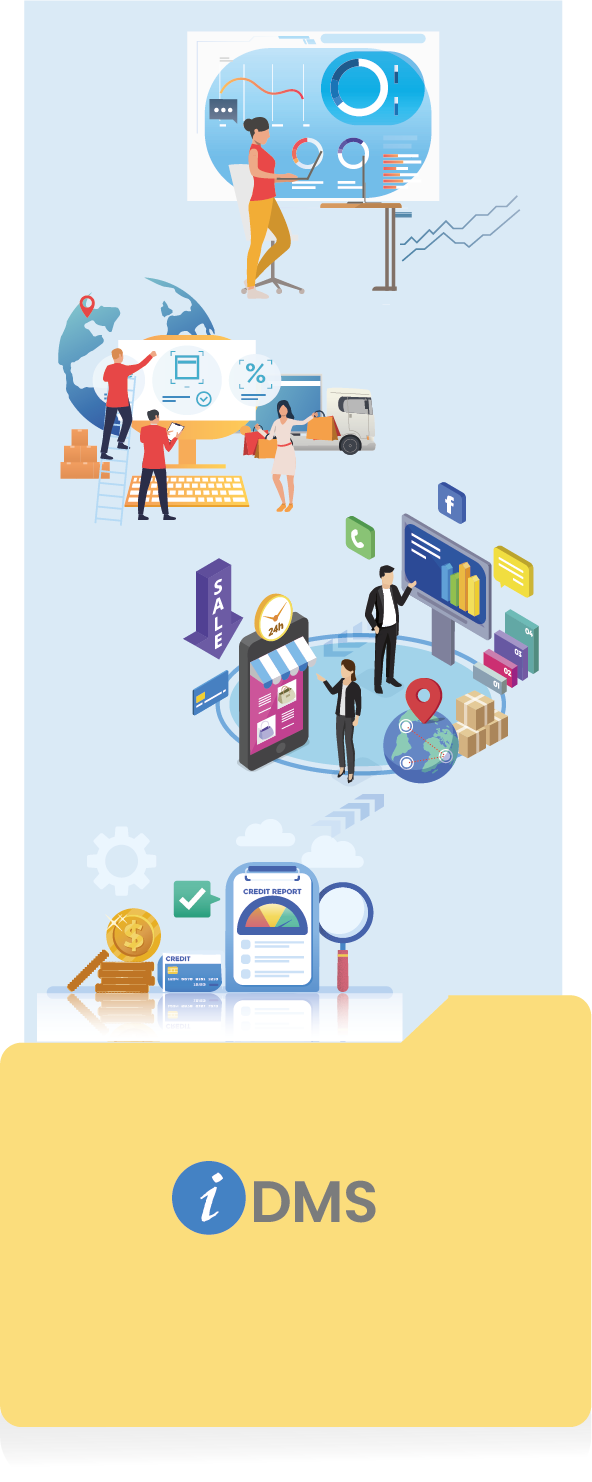
Real-Time visibility and control with attractive, interactive analytics
Effective Inventory & Purchase Management
transform your Order Management
Streamline Secondary & Tertiary Sales Operations
Flexible Trade Promotions Management
Loyality/Claims Management for Efficient Operations
________________________
All rights Reserved © InfoChain Technologies Pvt. Ltd.,2026
Made with by Collaboration